
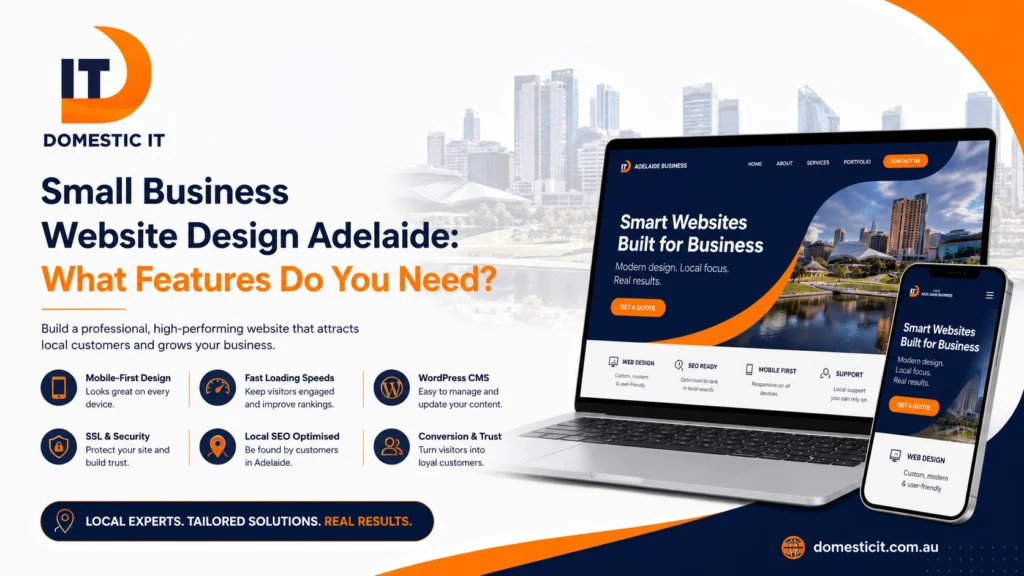
Effective small business website design Adelaide businesses can rely on should do far more than display a logo, phone number and short list of services. Your website should help local customers understand what you offer, trust your business and take the next step without confusion. That requires the right technical foundation, local search signals, conversion features and content structure from the beginning.
A small-business website does not need every feature available. It needs the features that support your customers and business goals. A local tradie may need fast quote requests and clear service areas, while a retailer may need secure online payments, product filters and stock management.
The following guide explains which website features genuinely matter and what Adelaide business owners should check before approving a website proposal.
Essential Technical and Core Features
The technical foundation influences how quickly the website loads, how safely it handles information and how easily it can grow. Attractive design cannot compensate for a slow, insecure or difficult-to-manage website.
Mobile-First Design
Mobile-first design means planning the website around smaller screens before adapting it for desktop devices. This approach is different from building a desktop website and shrinking it afterwards.
Mobile visitors should be able to:
- Read the text without zooming
- Open the menu easily
- Tap phone numbers and buttons
- Complete forms without frustration
- View images without excessive loading
- Find services and contact details quickly
Important calls to action should remain visible without covering essential content. Buttons also need enough spacing so visitors do not accidentally press the wrong option.
A responsive website should be tested across common screen sizes rather than checked on only one phone. Domestic IT’s website design services in Adelaide focus on responsive layouts that support mobile, tablet and desktop users.
Fast Loading Speeds
Visitors should not need to wait while large images, animations and unnecessary scripts load. Slow pages can interrupt the customer journey before the visitor reaches your service information or contact form.
Website speed is influenced by:
- Image file sizes
- Hosting quality
- Theme and plugin quality
- Custom scripts
- Font loading
- Video backgrounds
- Tracking tools
- Database condition
- Third-party integrations
A fast website does not need to look basic. The goal is to use design elements carefully and load only what the page needs.
Business owners can test important pages with Google PageSpeed Insights. The result should be treated as a diagnostic guide rather than the only measurement of website quality. It can highlight loading, responsiveness and layout problems that require attention.
Ongoing performance checks are also important after launch. New plugins, oversized uploads and software updates can gradually affect speed, which is why professional website maintenance services can be valuable for growing businesses.
WordPress or a Flexible CMS
A content management system, commonly called a CMS, allows approved users to update website content without editing code.
For many small businesses, WordPress provides a practical balance between ownership, flexibility and ease of expansion. It can support service pages, blogs, booking tools, ecommerce features, forms and integrations.
However, simply using WordPress does not guarantee that the website will be easy to manage. A poorly organised WordPress build can become complicated when it contains too many plugins, confusing templates or unnecessary custom code.
Before approving a CMS, ask:
- Can staff update normal text and images?
- Can new service pages be added later?
- Who owns the administrator access?
- Are paid plugins required?
- What happens if the developer is unavailable?
- Will training be provided?
- Can the website be moved to another host?
Your website should remain manageable as the business grows. Domestic IT’s business website design service can be structured around current requirements while leaving room for new pages and features.
SSL Security Certificate
An SSL certificate allows a website to use HTTPS and helps protect information transmitted between the website and its visitors.
This is especially important when the website contains:
- Enquiry forms
- Account logins
- Booking forms
- Online payments
- Newsletter subscriptions
- Customer information
HTTPS alone does not make a website completely secure. The CMS, plugins, passwords, backups and hosting environment must also be maintained.
The Australian Cyber Security Centre recommends protecting website logins, updating content management systems and plugins, and backing up websites regularly. Its small-business cyber security guidance provides useful security measures for Australian businesses.
Your website proposal should explain whether the SSL certificate, backups, software updates and security monitoring are included or charged separately.
Local Search and Visibility Features
A website can look professional and still remain almost invisible to nearby customers. Local search features help Google and users understand what your business does and where it operates.
Local SEO Infrastructure
Local SEO should be built into the website structure rather than added after every page has been designed.
A useful foundation includes:
- Descriptive page titles
- Unique meta descriptions
- One clear H1 per page
- Logical H2 and H3 headings
- Service-specific pages
- Adelaide location signals
- Internal links
- Descriptive image alt text
- Clean URLs
- Local business information
- Indexable content
- Relevant structured data
Avoid forcing Adelaide into every sentence. Search-focused content should still sound natural and provide useful information.
A strong structure may include a main website-design page, separate service pages and supporting articles that answer specific questions. For example, an article about features should not repeat the sales content from the main service page.
Businesses preparing for newer search experiences can also read Domestic IT’s guide to AI search optimisation in Adelaide, which explains how website clarity, local signals and wider online authority work together.
Google Business Profile Alignment
Your website and Google Business Profile should present a consistent business identity.
Check that both platforms use the correct:
- Business name
- Phone number
- Website address
- Service description
- Opening hours
- Service areas
- Branding
- Contact details
The website should link to the correct Google Business Profile where appropriate. The profile should also point visitors to the most useful website page rather than an unrelated or outdated URL.
For a service-area business, the website should explain where services are available without creating dozens of thin suburb pages. A useful local page should contain genuine information about the service, customer needs and areas covered.
Google Business Profile alignment is not simply an SEO task. It prevents customers from encountering different phone numbers, outdated hours or conflicting service information.
Prominent Above-the-Fold Contact
Above the fold refers to the part of a webpage visible before the visitor scrolls.
A small-business homepage should quickly answer four questions:
- What does the business provide?
- Who is the service for?
- Where is the service available?
- How can the visitor make contact?
The top section should include a clear headline, short explanation and one main call to action. Depending on the business, that action may be:
- Request a quote
- Call now
- Book an appointment
- View services
- Shop online
- Schedule a consultation
Avoid displaying five equally important buttons. Too many choices can make the next step less obvious.
Contact details should also remain accessible throughout the website. On mobile devices, a clickable phone number can be especially useful for customers who need a quick response.
Conversion and Trust Features
Traffic alone does not create business results. The website must turn suitable visitors into calls, bookings, quote requests or sales.
Tailored Enquiry and Quote Forms
A generic form asking only for a name and message may not collect enough information. At the same time, a form with twenty required fields may discourage visitors.
The form should match the service.
A website-design enquiry form might ask for:
- Business name
- Current website address
- Required services
- Project goals
- Preferred timeframe
- Approximate budget
- Contact details
A tradie quote form might need suburb, service type, urgency and image uploads.
Keep only the fields needed to provide a useful response. Clearly mark required fields, provide a confirmation message and test the form regularly.
Spam protection should be included without making legitimate customers solve difficult challenges. The form should also send submissions to a monitored business email address rather than an inbox nobody checks.
Clear Content Hierarchy
Visitors rarely read every word from beginning to end. They scan headings, images, lists and highlighted information before deciding whether to continue.
A clear content hierarchy uses:
- One main page topic
- Descriptive headings
- Short paragraphs
- Useful lists
- Consistent buttons
- Readable font sizes
- Adequate spacing
- Logical section order
The homepage should provide a summary and direct visitors towards detailed service pages. It should not attempt to explain every service, answer every question and tell the entire company history in one block.
Calls to action should appear at natural decision points. Domestic IT’s guide to landing page design best practices explains how focused page structure can reduce distractions and improve enquiries.
Portfolios and Case Studies
A portfolio shows what you created. A case study explains why the work mattered.
Small businesses should include real examples whenever possible. A useful case study can cover:
- The client’s original problem
- The service provided
- Important project decisions
- The completed solution
- Measurable or observable results
- Client feedback
For a website designer, screenshots alone may not explain the value of the project. Add context about mobile improvements, clearer enquiry paths, ecommerce functionality, service-page structure or reduced administration.
Other business types can use before-and-after photographs, project summaries, location details and customer outcomes.
Always obtain permission before publishing sensitive client information, private data or performance results.
Social Media Integration
Social integration should support the customer journey rather than distract from it.
Useful integrations may include:
- Links to active business profiles
- Embedded review content
- Social sharing for useful articles
- Instagram galleries for visual businesses
- Video testimonials
- Messaging options where appropriate
Avoid displaying feeds that slow the website or show months of inactivity. It is often better to use selected social proof than automatically load an entire platform feed.
The website should remain the main controlled source of information. Social platforms can change their reach, features and account rules, while your website remains an asset the business controls.
Adelaide Web Design Cost Expectations
Website costs vary because providers include different levels of planning, copywriting, design, SEO, functionality and support.
Published Adelaide pricing currently ranges from lower-cost starter builds to projects costing several thousand dollars. Local providers advertise small-business packages starting around $199–$299, while conversion-focused Adelaide builds are commonly positioned around $299–$499.
The following ranges are general expectations, not fixed Domestic IT prices.
Template-Based or Starter
A starter website may cost approximately $199–$299, depending on the number of pages and what is included.
It may suit a new sole trader or small service business that needs:
- A simple multi-page website
- Mobile responsiveness
- Basic contact forms
- Supplied content
- Standard design sections
- Basic on-page setup
Check whether hosting, content writing, revisions, maintenance and licensing are included.
A cheap website becomes expensive when the business must replace it shortly afterwards. Focus on ownership, usability and future expansion rather than choosing only the lowest quote.
Mid-Range or Structured Build
A structured small-business website may fall around $299–$499.
This range may include:
- Customised page structure
- More detailed service pages
- Conversion planning
- Local SEO foundations
- Professional content support
- Custom forms
- Analytics setup
- Portfolio or case-study sections
- Training
- Integrations
- Improved performance work
This is often suitable for established Adelaide businesses that rely on enquiries and need the website to support marketing.
When comparing quotes, review the actual deliverables rather than comparing only page numbers.
Premium or E-Commerce
Ecommerce and highly customised websites may begin around $299–$500 and increase significantly depending on complexity. Published Adelaide pricing shows ecommerce projects commonly falling within this range, while advanced agency or custom-development work can exceed $1,000.
Costs may increase with:
- Large product catalogues
- Payment gateways
- Shipping rules
- Inventory systems
- Customer accounts
- Booking systems
- CRM connections
- Membership functions
- Custom calculators
- Content migration
- Advanced filtering
Domestic IT provides e-commerce website design for businesses that need secure product pages, checkout functionality and room to grow.
Frequently Asked Questions
What features does a small-business website need?
Most small-business websites need mobile responsiveness, fast loading, HTTPS security, clear service pages, contact details, enquiry forms, local SEO foundations and trust signals. The exact feature set should match the way customers choose and contact the business.
How many pages should a small-business website have?
There is no perfect number. A typical website may include Home, About, Contact and separate pages for each important service. A smaller number of useful, well-planned pages is usually better than many thin pages with repeated content.
Is WordPress suitable for an Adelaide small business?
WordPress can be suitable for service businesses, professionals, tradies, retailers and growing companies. It offers flexibility and ownership, but the website must be built carefully and maintained with updates, backups and security checks.
Should SEO be included during website design?
Yes. Page structure, headings, URLs, metadata, internal links, mobile usability and local relevance should be considered during the build. Adding these foundations later may require pages and content to be restructured.
How long does a small-business website take to build?
A straightforward website may take several weeks, while ecommerce or custom projects can take longer. The timeframe depends on planning, content preparation, feedback, page count, integrations and how quickly approvals are provided.
Can I update the website myself after launch?
A well-built CMS should allow you to change normal text, images, blog posts and selected page sections. Ask the designer what training, access and documentation will be provided before approving the project.
What should I compare when reviewing website quotes?
Compare strategy, content, design, SEO setup, forms, mobile testing, security, ownership, hosting, revisions, training and post-launch support. Two quotes with the same page count may include very different levels of work.
Hiring an Adelaide Professional
The right Adelaide website professional should ask about your customers, services and business goals before discussing colours or templates.
Ask potential providers:
- Who will own the website and domain?
- Is the design mobile-first?
- Is content support included?
- What SEO work is included?
- Who supplies images?
- Are hosting and maintenance separate?
- Can the site grow later?
- What happens after launch?
- Will analytics and form tracking be configured?
- Can previous projects be reviewed?
Domestic IT designs responsive, SEO-friendly and conversion-focused websites for small businesses, tradies, service providers and growing brands across Adelaide and South Australia. The business also provides redesign, e-commerce and ongoing website support services.
To discuss your website project, contact Domestic IT or call us 0480 456 328
Pingback: DIY vs Professional Web Design: Which Is Better?
Pingback: 7 Landing Page Mistakes That Reduce Sales | Domestic IT