
Most business owners don’t think about their website until something breaks. A plugin update wipes out the contact form. The site goes down on a Friday night. Google Chrome starts showing a “Not secure” warning. By then, you’re paying for an emergency fix instead of a bit of regular care.
That’s exactly the problem WordPress website maintenance packages are built to solve. You pay a set monthly fee, and someone who knows WordPress looks after the boring but important jobs: updates, backups, security checks and speed. You get on with running your business.
In this guide, we’ll walk through what a good package should include, what Australian businesses typically pay, and how to pick a plan that actually suits your site. We’ll keep it practical, the same way we explain things to clients at Domestic IT.
What Are WordPress Website Maintenance Packages?
A WordPress maintenance package is a monthly support plan for your website. Instead of calling a developer every time something goes wrong, you have an ongoing arrangement where the work happens before problems show up.
Think of it like servicing your car. You could wait for the engine light, but regular servicing is cheaper and far less stressful.
A typical plan covers:
- Keeping WordPress core, your theme and your plugins up to date
- Taking regular backups you can actually restore
- Watching for malware, hacking attempts and downtime
- Keeping pages loading quickly
- A set amount of help each month for small changes
If you’d like a broader look at why upkeep matters, our guide on what website maintenance includes and when your business needs it is a good place to start.
Standard Tiers and Market Pricing
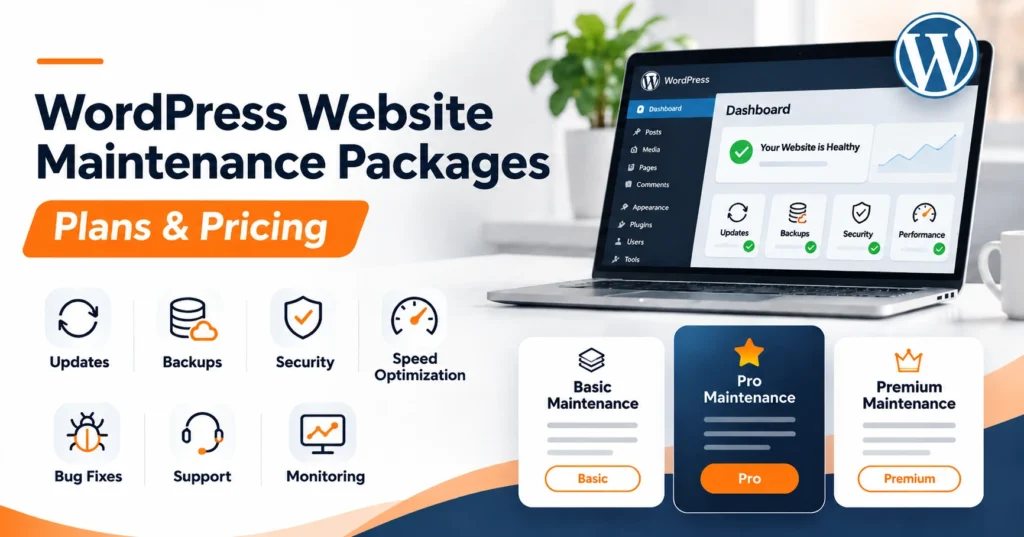
Most providers group their WordPress maintenance services into three levels. The names change from agency to agency, but the structure is usually the same: the more complex your site, the more care it needs.
Here’s a rough guide to what businesses across Australia can expect to pay. These are typical market ranges, not fixed prices.
| Package tier | Typical price (AUD per month) | Best for | What’s usually included |
| Basic / Essential | $60 to $130 | Small brochure sites, tradie websites, simple blogs | Monthly or fortnightly updates, cloud backups, uptime monitoring, basic security scans |
| Growth / Business | $150 to $300 | Lead generation sites, active blogs, small online shops | Weekly updates, daily backups, security hardening, speed tuning, small content edits |
| Premium / Custom | $350 and up | WooCommerce stores, membership sites, busy portals | Staging-site testing, real-time backups, priority support, checkout and custom feature monitoring |
A few things to keep in mind when you compare prices:
- Cheap isn’t always cheap. A $30 plan that only clicks “update all” can break your site, and the fix will cost more than a year of proper care.
- Check how updates are done. A good provider tests updates first and rolls them back if something goes wrong.
- Ask what “support” means. Is it 30 minutes a month, or unlimited small edits? Both are fine, but you should know which one you’re getting.
Core Components of a Maintenance Package
Whatever you pay, a solid WordPress website maintenance package should cover these six areas. If a plan skips one, ask why.
Automated Backups
Backups are your safety net. If your site is hacked, an update goes wrong or your host has a bad day, a clean backup gets you back online in minutes rather than days.
- Daily backups for most business sites, real-time backups for online stores
- Stored off-site, away from your hosting server
- Several restore points kept, not just yesterday’s copy
- Restores tested now and then, so you know they actually work
Update Management
WordPress, themes and plugins release updates all the time. Many of them fix security holes. Skipping them leaves the door open, but rushing them can break things.
- Updates applied one at a time, not all at once
- Tested on a staging copy first for bigger sites
- A quick check of key pages and forms after each round
- Rollback ready if something misbehaves
WordPress explains why this matters in its own guide to updating WordPress, which recommends a backup before every update.
Security Monitoring
Small business websites get attacked every day, usually by automated bots looking for weak passwords and out-of-date plugins. The Australian Signals Directorate’s small business cybersecurity advice lists keeping software updated and backing up data among the most important steps you can take.
- Regular malware scans
- Firewall and brute-force login protection
- Strong admin access rules and removal of old user accounts
- Hack cleanup included, or at least clearly priced
Performance Optimisation
A slow site loses visitors and rankings. Speed work isn’t a one-off job, because every new plugin, image and page adds weight over time.
- Image compression and lazy loading
- Database clean-ups to remove old revisions and junk
- Caching set up and checked
- Regular speed tests with clear before-and-after numbers
Uptime Monitoring
If your site goes down at 2am, you want your support team to know before your customers do.
- Automated checks every few minutes
- Instant alerts to the support team
- A clear plan for who fixes it and how quickly
Support Hours and Content Edits
This is the part most business owners use the most. Updating a price, swapping a photo or adding a new staff member shouldn’t mean waiting a week for a quote.
- A monthly block of developer time, or a set number of small edits
- A simple way to send requests, such as email or a ticket
- Clear turnaround times
Why Domestic IT for WordPress Maintenance?
There are plenty of large overseas providers selling WordPress care plans. They work for some people, but many local businesses tell us the same thing: they want someone who knows their site, answers in their time zone and explains things in plain English.
That’s how we run our website maintenance service at Domestic IT:
- We start with a free audit. We check your site’s speed, security, updates and stability, then recommend the level of care it actually needs.
- Updates are handled carefully. We back up first, update in order and check the site afterwards.
- Real people, local support. We’re based in Adelaide and work with Australian businesses, so you won’t be chasing replies overnight.
- No locked-in surprises. You’ll know what your plan covers before you sign up.
- We know the sites we build. Because we also do e-commerce website design and custom website development, we understand what’s going on under the hood.
WordPress maintenance is done online, so whether you’re in Adelaide, searching for website maintenance in Brisbane, or anywhere else in Australia, the service works the same way.
Choosing the Right Plan
The best plan isn’t the biggest one. It’s the one that matches how your website is used. Ask yourself these questions before you sign up.
Unlimited Edits or Time-Banked Support?
- Choose unlimited small edits if you update your content often, such as new blog posts, menu changes, specials or staff updates.
- Choose a time-banked plan if your site rarely changes and you mostly need technical care in the background.
Running an Online Store?
WooCommerce sites need more than a basic plan. Every order lives in your database, so losing even a few hours of data can mean lost sales and confused customers.
- Make sure backups run in real time or at least several times a day
- Ask whether checkout and payment pages are monitored
- Confirm updates are tested on a staging site before going live
Is Your Site Worth Maintaining?
Sometimes the honest answer is no. If your site is built on an old theme, loads slowly and looks dated, you may spend more patching it than replacing it. In that case, a website redesign followed by a simple maintenance plan is often the better investment.
Not sure who to trust with your site in the first place? Our guide on how to choose a website development company covers the questions worth asking.
Final Thoughts
A website is like any other business asset. Look after it and it keeps working for you. Ignore it and it eventually costs you money, customers or both.
The right WordPress maintenance package gives you up-to-date software, reliable backups, solid security and someone to call when you need a change. For most small businesses, that costs less per month than a single emergency fix.
If you’d like to know where your site stands, contact Domestic IT for a free website maintenance audit. We’ll show you what needs attention and recommend a plan that fits, with no pressure and no jargon.
Frequently Asked Questions
Most small business plans sit between $60 and $300 a month, depending on the size of the site and how much support you need. WooCommerce stores and membership sites usually cost more because they need real-time backups and closer monitoring.
Hosting is the server space your website lives on. Maintenance is the ongoing care of the website itself, such as updates, backups, security and fixes. Some hosts include basic tools, but they rarely check that your site still works after an update.
Most business websites should be checked at least weekly or fortnightly. Security updates should be applied as soon as they’re tested, because attackers often target known weaknesses within days of a fix being released.
Yes, if you’re comfortable with backups, updates and fixing conflicts when they happen. Many business owners start that way, then move to a monthly website support plan once they realise how much time it takes.
Yes. Even if your content never changes, WordPress, your theme and your plugins keep releasing updates. A site that isn’t updated becomes easier to hack over time.
Yes. If your site has been hacked, shows errors or won’t load, get in touch and we’ll look at what’s gone wrong. Once it’s fixed, we can recommend a maintenance plan so it doesn’t happen again.