
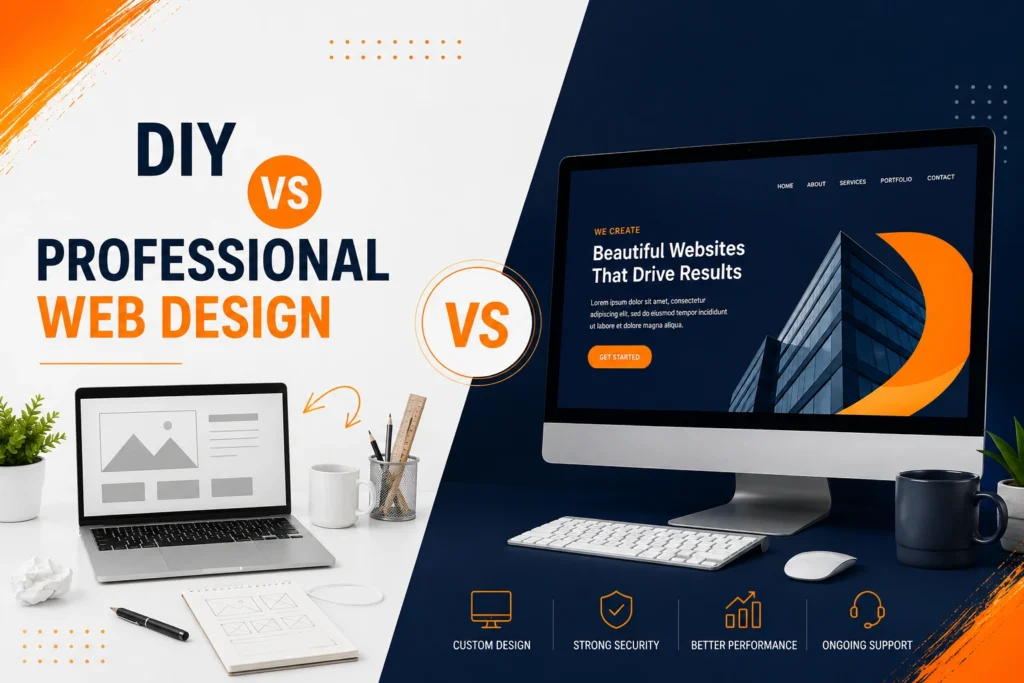
Choosing between DIY vs Professional Web Design is not simply a choice between cheap and expensive. It is a decision about how much time you can invest, how important the website is to your sales process, what functionality you need and how quickly the site may need to grow. A DIY builder can be sensible for a basic launch, while professional design is usually more suitable when your website must generate enquiries, support marketing or represent an established business.
Website builders have become easier to use, especially with templates, drag-and-drop editors and AI-assisted setup. However, creating pages is only one part of building an effective business website. You must still plan the structure, write the content, optimise mobile layouts, configure forms, connect analytics and maintain the website after launch.
Here is the practical difference at a glance:
| Consideration | DIY website builder | Professional web design |
| Initial cost | Usually lower | Usually higher |
| Launch speed | Fast for a simple site | Depends on project scope |
| Owner involvement | High | Shared with a specialist |
| Design flexibility | Limited by the platform | Tailored to the business |
| SEO setup | Basic tools available | Strategically planned |
| Advanced functionality | May require apps or upgrades | Can be planned and integrated |
| Scalability | Suitable for simpler needs | Better for long-term growth |
| Support | Platform documentation | Direct professional support |
DIY Website Builders
DIY website builders allow business owners to create websites using pre-designed templates and visual editing tools. Popular options include Wix, Squarespace, Shopify, Hostinger and WordPress-based builders.
They can work well for a new business that needs a small online presence and has more time than budget. However, the platform should be selected according to the business model rather than whichever builder has the most attractive introductory offer.
Cost
The main attraction of a DIY builder is the lower initial cost. Instead of paying for a full website project, you normally pay a monthly or annual subscription.
The subscription may include:
- Website hosting
- A visual page editor
- Templates
- Basic security
- Customer support
- Selected marketing features
However, the advertised plan is not always the complete cost. You may also need to pay for a domain, business email, premium apps, booking tools, ecommerce functions, templates or additional storage.
Free plans are generally better for testing a builder than operating a serious business website. For example, Wix allows users to begin building for free, but a premium plan is required to connect a custom domain and access more advanced business features.
Your time should also be included in the cost calculation. Spending 40 hours learning a platform, adjusting layouts and solving technical problems may not be economical when those hours could be used to serve customers or develop the business.
Speed
A DIY builder can help you publish a basic website quickly. Templates provide a starting layout, while AI tools can suggest pages, colours and initial content.
This makes DIY suitable when you need:
- A temporary launch page
- A simple online portfolio
- A basic event website
- A small validation website
- A straightforward personal brand page
The platform may create the first version quickly, but completing the website still takes work. You need accurate service information, original images, contact details, legal pages, mobile testing and clear calls to action.
Launching quickly is useful only when the information is correct. A rushed website with placeholder text, broken forms or unclear services can create a poor first impression.
Control
DIY builders give business owners direct control over routine editing. You can change an image, publish a new offer or update opening hours without waiting for a designer.
This can be useful for businesses that frequently update:
- Menus
- Classes
- Events
- Portfolios
- Team profiles
- Promotions
- Product collections
However, editing control and platform ownership are not always the same thing. A hosted builder manages the underlying technology, hosting environment and editing system. Moving the complete website to another platform may require rebuilding parts or all of it.
Before choosing a builder, check who controls the domain, content, customer data and third-party accounts. You should also understand what happens to the website when the subscription ends.
Limits
The limitations of a DIY builder usually become more noticeable as the business grows.
You may find it difficult to create a highly specific layout, advanced quote calculator, unusual booking process or custom integration. Additional features may depend on third-party apps that add subscription costs and can affect performance.
Other common challenges include:
- Template-based design that looks similar to other websites
- Limited control over certain technical elements
- Inconsistent mobile layouts
- Difficulty creating a strong content hierarchy
- Dependence on paid applications
- Limited migration options
- Basic conversion tracking
- Time-consuming troubleshooting
SEO tools may allow you to edit titles, descriptions and image alt text, but they do not decide which pages your business needs or how those pages should support one another.
Before building, review the essential items in Domestic IT’s guide to small business website design features. It can help you determine whether your chosen builder supports the technical, local SEO and conversion features your business requires.
Professional Web Design
Professional web design involves working with a designer, developer or agency to plan and build the website around your customers and business goals.
The value is not simply that someone else moves the images and text into place. A professional should help you decide what pages are needed, how visitors should move through the website and what actions should be measured after launch.
A well-designed website helps businesses build trust and connect with customers. Sun Painters Adelaide uses its online presence to showcase professional painting services and reach local customers
Quality
A professional website should feel specific to your business rather than assembled from a generic industry template.
The design process may consider:
- Your target customers
- Competitor positioning
- Brand colours and typography
- Service priorities
- Customer questions
- Trust signals
- Conversion paths
- Mobile behaviour
- Local search intent
Quality also includes consistency. Buttons, forms, headings, spacing and calls to action should follow a clear system across the website.
Domestic IT’s website design services in Adelaide are positioned around responsive design, SEO structure and converting visitors into enquiries, rather than creating visuals alone.
Performance
A professional build should be tested for more than appearance.
Performance work may include:
- Compressing and resizing images
- Reducing unnecessary scripts
- Configuring caching
- Testing mobile layouts
- Checking forms and buttons
- Improving navigation
- Setting page titles and headings
- Connecting analytics
- Creating redirect plans
- Checking browser compatibility
A well-designed website should remain understandable even when a visitor arrives on an inner service page rather than the homepage.
Performance also depends on decisions made after launch. Uploading oversized images, installing too many plugins or ignoring software updates can gradually slow down any website. Ongoing website maintenance services can help manage updates, security and performance as the site develops.
Functionality
Professional design becomes particularly valuable when the website needs to do more than display information.
A professional may help plan and implement:
- Custom enquiry forms
- Quote request systems
- Appointment booking
- Customer portals
- CRM connections
- Email marketing integrations
- Payment gateways
- Membership features
- Advanced filtering
- Inventory systems
- Product variations
- Analytics and event tracking
The functionality should follow the business process. For example, a quote form for a builder should not collect the same information as an appointment form for an allied health provider.
For product-based businesses, Domestic IT’s e-commerce website design service covers product pages, responsive shopping experiences and secure checkout requirements.
Professional designers may also build with an open and flexible CMS. The official WordPress feature overview highlights its block editing, user management, media tools and large plugin ecosystem, although WordPress still needs appropriate configuration, hosting and maintenance.
Cost and Time
Professional design requires a larger initial investment because the project may include research, structure planning, design, development, content support, testing and launch preparation.
The exact cost depends on:
- Number of pages
- Level of custom design
- Content requirements
- Ecommerce functionality
- Booking or CRM integrations
- Product quantity
- Data migration
- SEO requirements
- Revision process
- Ongoing support
A professional project can also take longer than publishing a template. However, the business owner is not expected to solve every design and technical decision alone.
The important comparison is not only subscription cost versus project cost. Consider the possible cost of unclear messaging, weak mobile usability, missed enquiries and rebuilding the site when the first version no longer supports the business.
Domestic IT’s business website design service is intended for small and growing businesses that need a website structured around visibility, credibility and customer enquiries.
Decision-Making Framework: DIY vs Professional Web Design
Use the following questions before choosing either option.
Choose a DIY builder when:
- You have a very limited starting budget.
- The website is mainly informational.
- You need only a few simple pages.
- You have time to learn and manage the platform.
- The website is being used to test a new idea.
- You do not need custom integrations.
- Losing some design flexibility is acceptable.
Choose professional web design when:
- The website will be a major source of enquiries or sales.
- Your industry has strong online competition.
- Your services require clear explanation.
- You need ecommerce, bookings or custom forms.
- Local SEO is important.
- The business already has an established brand.
- You need reliable support after launch.
- Your time is more valuable in other parts of the business.
A hybrid approach is also possible. A professional can plan and build the important foundation while giving your team access to update normal text, images and blog posts.
The best decision is the one that matches the current risk. A temporary website for testing an idea does not need the same investment as an established Adelaide business that depends on Google enquiries.
What Is the Best Website Builder in 2026?
There is no single best website builder for every business. The right platform depends on what you are building and who will manage it.
Wix: Strong all-round DIY option
Wix is a practical choice for beginners who want flexible drag-and-drop editing, templates and built-in business tools. Current independent comparisons frequently rank it as one of the strongest overall DIY builders for small businesses. (Creative Bloq)
It is suitable for simple service websites, portfolios and small online businesses. The main concern is making sure the flexibility does not lead to inconsistent layouts or unnecessary design elements.
Squarespace: Strong for visual businesses
Squarespace is well suited to photographers, designers, consultants and businesses that value polished templates. Its all-in-one platform includes hosting, design tools, content management and built-in business features. (Squarespace Help)
It can be less suitable when the website requires extensive custom functionality or a highly specialised content structure.
Shopify: Best suited to ecommerce-first businesses
Shopify is designed around online selling and provides product, payment, checkout, order and inventory features in one hosted system. Current 2026 comparisons continue to position it as a leading ecommerce option. (Shopify)
It may be unnecessary for a service business that does not intend to sell products online.
WordPress: Strongest for flexibility and professional growth
WordPress is suitable when a business needs more control over content, page structure, integrations and future development. It can be used for DIY projects, but its greatest flexibility often comes with professional setup.
Hosting, themes, plugins, security and updates must be managed separately. That creates more responsibility, but it also provides greater freedom to build around specific business requirements.
Practical recommendation: Wix is a strong starting option for a simple DIY business site, Shopify is the clearer choice for ecommerce, Squarespace is effective for visually led businesses, and professionally configured WordPress is often the better long-term option for an established service business.
Frequently Asked Questions
Is a DIY website good enough for a small business?
It can be good enough when the business needs a simple website with a few pages and basic contact information. A professional build becomes more valuable when the website must generate leads, support local SEO or provide advanced functionality.
Can a DIY website rank on Google?
Yes, a DIY website can rank when it provides useful content, has a clear structure and is technically accessible. The platform itself does not create a complete SEO strategy, so the owner must still plan service pages, internal links, local relevance and content quality.
Is WordPress a DIY builder or a professional platform?
It can be both. Business owners can build a basic WordPress site themselves, while designers and developers can use the platform for more advanced custom websites. The result depends on the theme, plugins, hosting and implementation.
Is professional web design worth the cost?
It is usually worth considering when website performance directly affects enquiries, sales or business credibility. The investment is harder to justify when the site is temporary, experimental or not important to customer acquisition.
Can a professional redesign a DIY website later?
Yes, but the project may require more than visual changes. The designer may need to reorganise content, migrate pages or rebuild the site on another platform. Planning the domain, content and account ownership correctly from the beginning makes future migration easier.
Who owns a professionally designed website?
Ownership depends on the agreement. Before beginning, confirm who owns the domain, website files, content, design assets, analytics accounts and software licences. Administrator access should be handed over according to the agreed project terms.
How long does professional website design take?
A straightforward business website may take several weeks, while ecommerce and custom-development projects can take longer. The timeframe depends on content readiness, functionality, feedback and the speed of client approvals.
Getting Ready to Hire a Professional Web Designer
Before contacting a designer, prepare a short project brief containing:
- Your main services or products
- Target customers
- Current website address
- Preferred launch timeframe
- Required pages
- Examples of websites you like
- Essential functionality
- Available images and content
- Approximate budget
- Main business goal
Do not choose a provider based only on the homepage design in its portfolio. Ask how the provider approaches mobile usability, SEO foundations, content structure, security, ownership and post-launch support.
Domestic IT provides professional website design and development for businesses in Adelaide and across Australia. Projects can include business websites, ecommerce, redesigns and ongoing support. (Domestic IT)
To discuss whether DIY or professional design is right for your project, contact Domestic IT or call us: 0480 456 328